Introduction

Aaj ke digital daur me mobile banking hamari rozmarra zindagi ka hissa ban chuki hai. Log ghar baithe bill pay karte hain, paisay transfer karte hain, online shopping karte hain aur apne accounts ka poora control mobile apps se chalate hain. Lekin jitni aasani mobile banking ne di hai, utna hi risk bhi barh gaya hai. Hackers aur cybercriminals mobile users ko target karte hain kyun ke bohat si galtiyan hum khud se karte hain—weak passwords, unsecured Wi-Fi, fake apps, phishing links, waghera.
Is liye cybersecurity habits adopt karna har user ke liye zaroori hai. Yeh article aap ko un tamam best practices ke baare me batayega jo aap ko apni financial information ko secure rakhne me madad denge.
1. Use Strong & Unique Passwords (Most Important Habit)
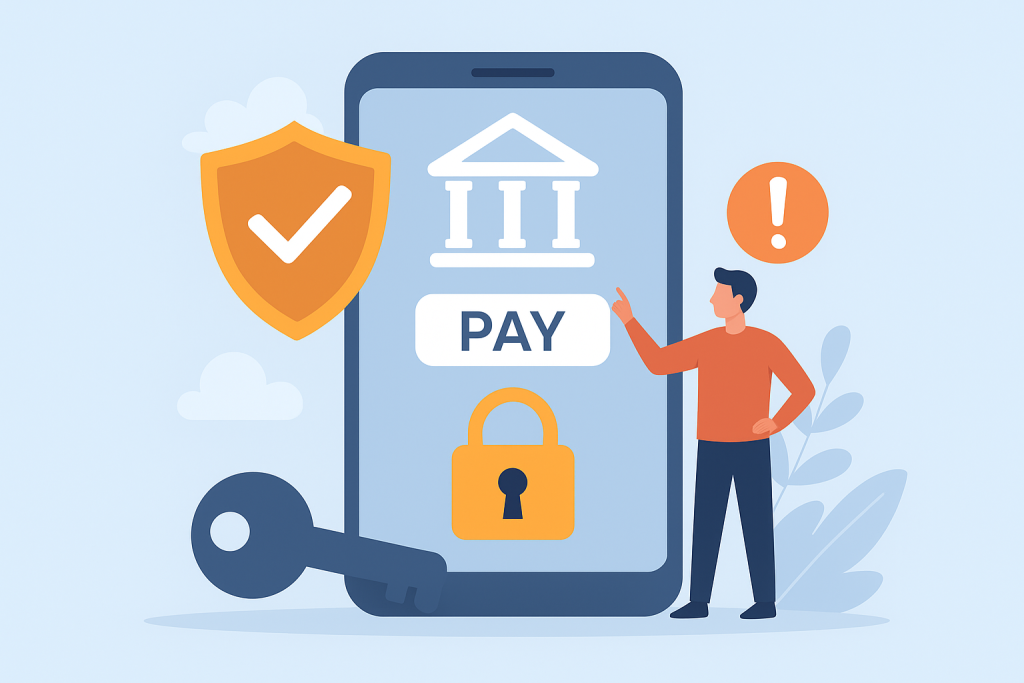
Mobile banking ke liye sabse pehla security layer aap ka password hota hai.
Weak password ka matlab hai easy entry for hackers.
Strong password kaise banayein?
- Kam az kam 12–16 characters ka password
- Uppercase + lowercase letters
- Numbers + special characters (!@#$%)
- Name, date of birth, mobile number kabhi use na karein
- Har bank app ka separate password rakhein
Password manager kyun zaroori hai?
Password manager apps jaise:
- LastPass
- Bitwarden
- 1Password
Aap ke passwords ko securely store karte hain aur strong passwords suggest karte hain.
2. Enable Two-Factor Authentication (2FA)
2FA mobile banking security ka backbone hai.
Isme login karne ke liye password ke ilawa OTP, biometric ya authenticator code ki zaroorat hoti hai.
Faida kya hai?
Agar kisi ko aap ka password mil bhi jaye, phir bhi vo bina verification ke login nahi kar sakta.
Recommended 2FA options:
- SMS OTP
- Fingerprint / Face ID
- Google Authenticator
- Authy
3. Avoid Using Public Wi-Fi for Bank Transactions

Free Wi-Fi logon ko attract karta hai, lekin ye hackers ka favourite trap hota hai.
Public Wi-Fi networks encryption nahi karte, is liye hackers aasan se:
- aap ka data track kar sakte hain
- passwords steal kar sakte hain
- session hijack kar sakte hain
Safe alternative
- Apne mobile ka data use karein
- Ya VPN use karein (NordVPN, Surfshark, ExpressVPN)
4. Keep Your Mobile OS & Banking Apps Updated

Updates sirf new features ke liye nahi hotay—major reason security patches hotay hain.
Hackers outdated apps ko asani se target kar lete hain.
Habit:
- Auto-update enable rakhein
- Jab bhi banking app update aaye, turant install karein
5. Download Apps ONLY From Trusted Sources
Fake banking apps ka trend bohat barh chuka hai. Hackers original bank app jaisi copy bana kar logon ka data chura lete hain.
Kabhi bhi app download na karein from:
- Third-party websites
- Unknown links
- Modified APKs
Always download from:
- Google Play Store
- Apple App Store
- Official bank website link
6. Beware of Phishing Links & Fake Messages
Phishing cybercrime ka sabse common form hai.
Aap ko email, SMS, WhatsApp ya call receive hoti hai jo bank ki tarah pretend karti hai.
Signs of phishing:
- Link shortening (bit.ly type links)
- “Click here”, “Your account blocked”, “Urgent action required”
- Spelling mistakes
- Unknown sender
Rule:
Bank kabhi bhi SMS me link bhej kar login ya personal info nahi mangta.
7. Use Biometric Locks on Mobile Banking
Face ID, fingerprint aur screen lock mobile security ko strong banate hain.
Best practices:
- Pattern lock avoid karein (easily guessable)
- PIN 4 digits se zyada rakhein
- Phone lost hone ki surat me remote wipe enable rakhein
8. Enable Real-Time Banking Alerts
Real-time notifications aap ko har transaction ka instant update deti hain.
Faida:
- Agar koi unauthorized activity ho, aap turant bank ko report kar sakte hain.
9. Don’t Save Banking Passwords in Mobile Browsers
Browsers jaise Chrome, UC Browser ya Firefox passwords ko store kar lete hain—ye dangerously unsafe hai.
Why risky?
Agar phone hack ho jaye, attacker sab saved passwords dekh sakta hai.
Use password manager instead.
10. Disable Bluetooth, NFC & Location When Not Needed
Mobile banking ke waqt unnecessary connectivity off honi chahiye.
Why?
Hackers Bluetooth vulnerabilities se aap ka data capture kar sakte hain.
11. Avoid Rooted or Jailbroken Devices
Rooted phones me security layers removed hoti hain.
Bank apps bhi rooted devices per kam nahi karti kyun ke risk bohat high hota hai.
12. Always Log Out After Completing Transactions
Especially jab aap shared devices ya office phones use kar rahe hon.
13. Regularly Monitor Your Bank Statements
Monthly statement check karne se koi bhi suspicious activity jaldi detect hoti hai.
Agar koi unknown transaction nazar aaye:
- Immediate bank support center contact karein
- Debit card block karwa dein
14. Use Official Bank Customer Support Only
Kabhi bhi social media pages per personal info share na karein.
Fake support pages aam tor par users ko trap karte hain.
15. Backup Your Data & Use Antivirus
Mobile antivirus apps malware aur spyware detect karte hain.
Recommended tools:
- Kaspersky
- Bitdefender
- Norton
Backups ensure karte hain ke agar device crash ho jaye, aap ka important data safe rahe.
Conclusion
Mobile banking ne financial world ko revolutionize kar diya hai—ab har cheez ek tap door hai. Lekin jitna convenience barhta hai, utna hi cyber threats ka risk bhi. Strong cybersecurity habits apko cybercriminals se bachati hain aur aap ki financial information ko secure rakhti hain.
Agar aap strong passwords use karein, 2FA enable rakhein, phishing se bachne ki aadat banayein aur safe networks par banking karein, to aap apne mobile banking experience ko 100% secure bana sakte hain